Feature · Internal Audit Report
The Internal Audit Report, generated from the audit itself
Clauseloop drafts the internal audit report from the project's checklist. Every figure, finding and clause result comes from the audit record, so you write only what the software cannot know: the engagement facts, the findings in your words, and the conclusion.
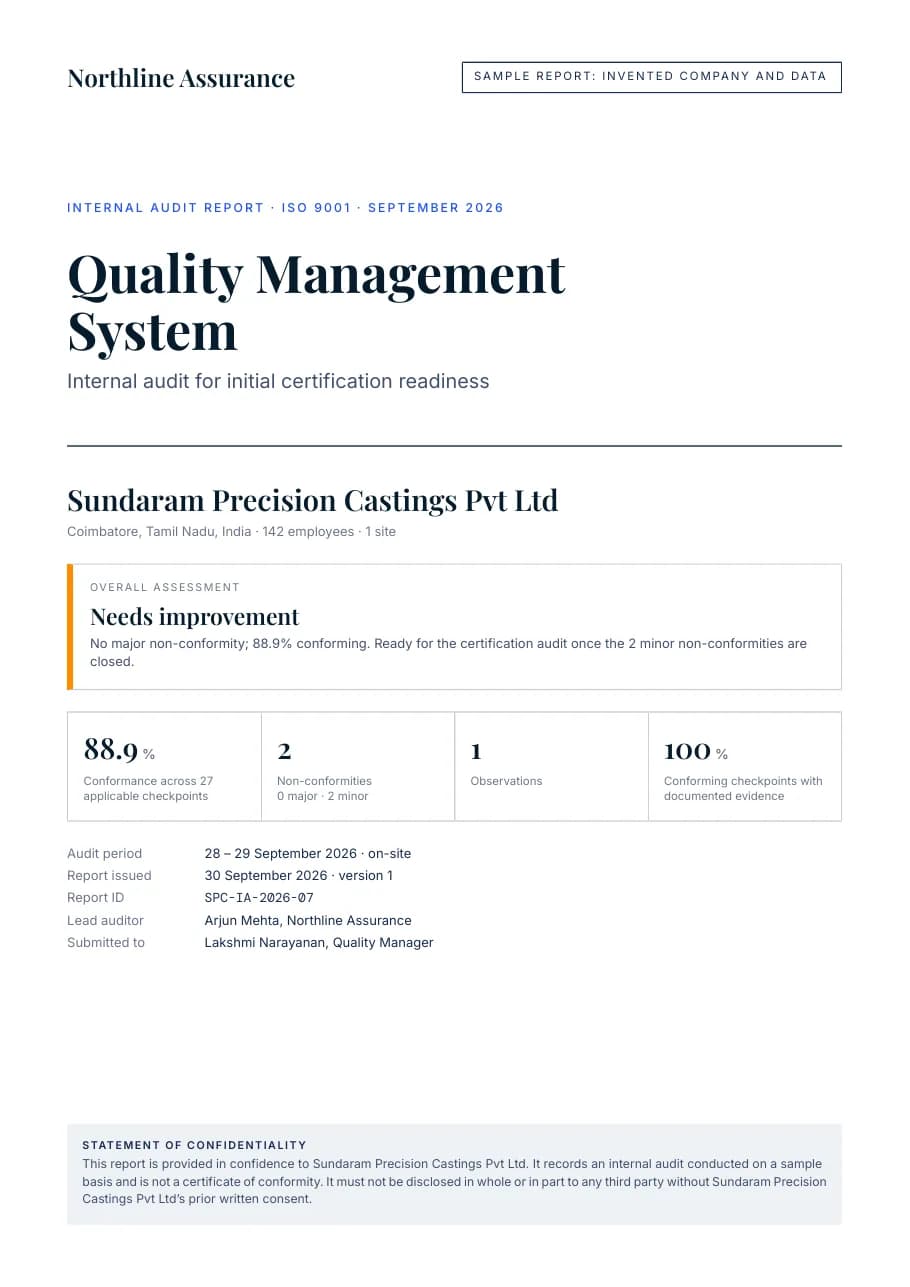
Page 1. Cover: the overall assessment and the figures behind it
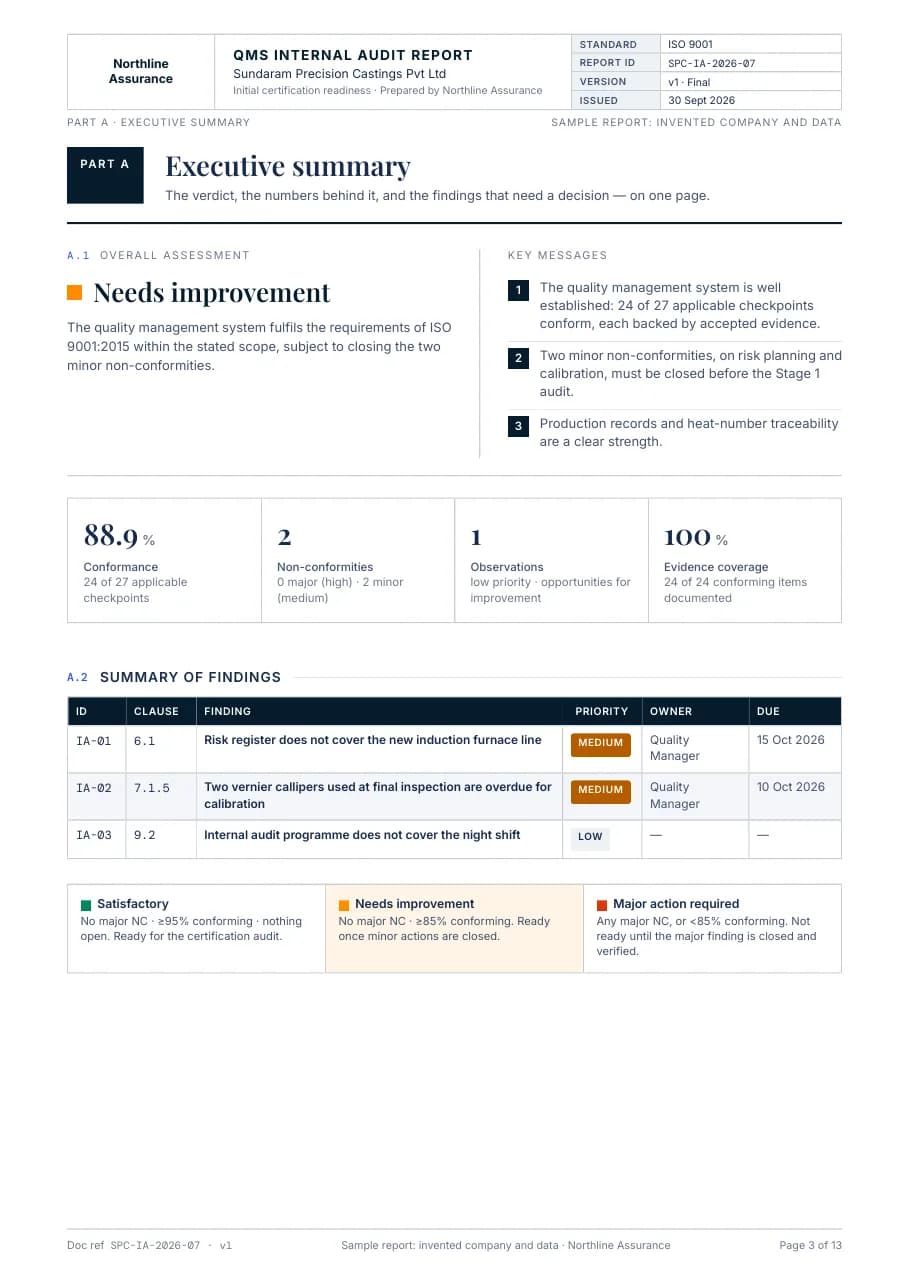
Page 3. Executive summary: key messages and the findings register
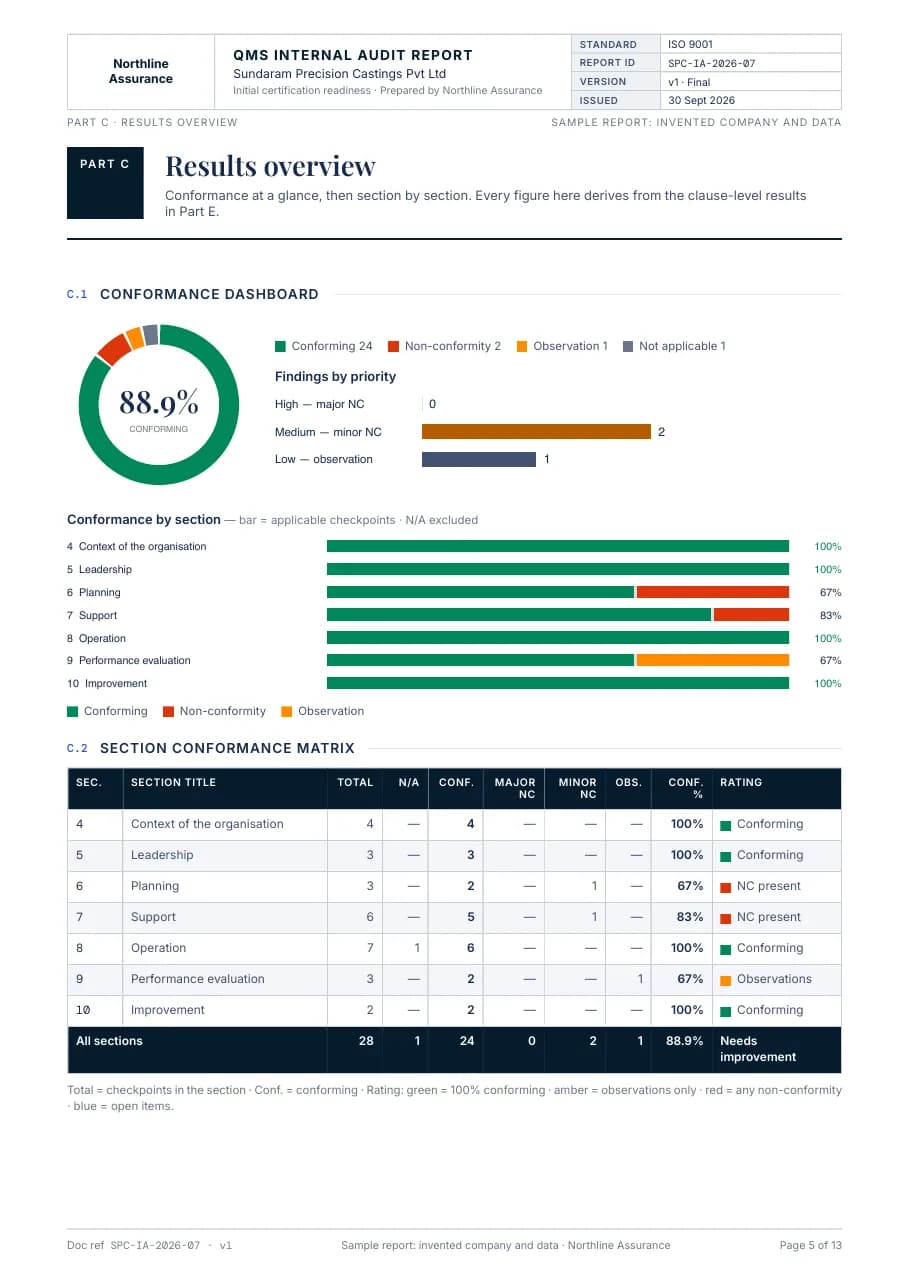
Page 5. Results: conformance overall and section by section
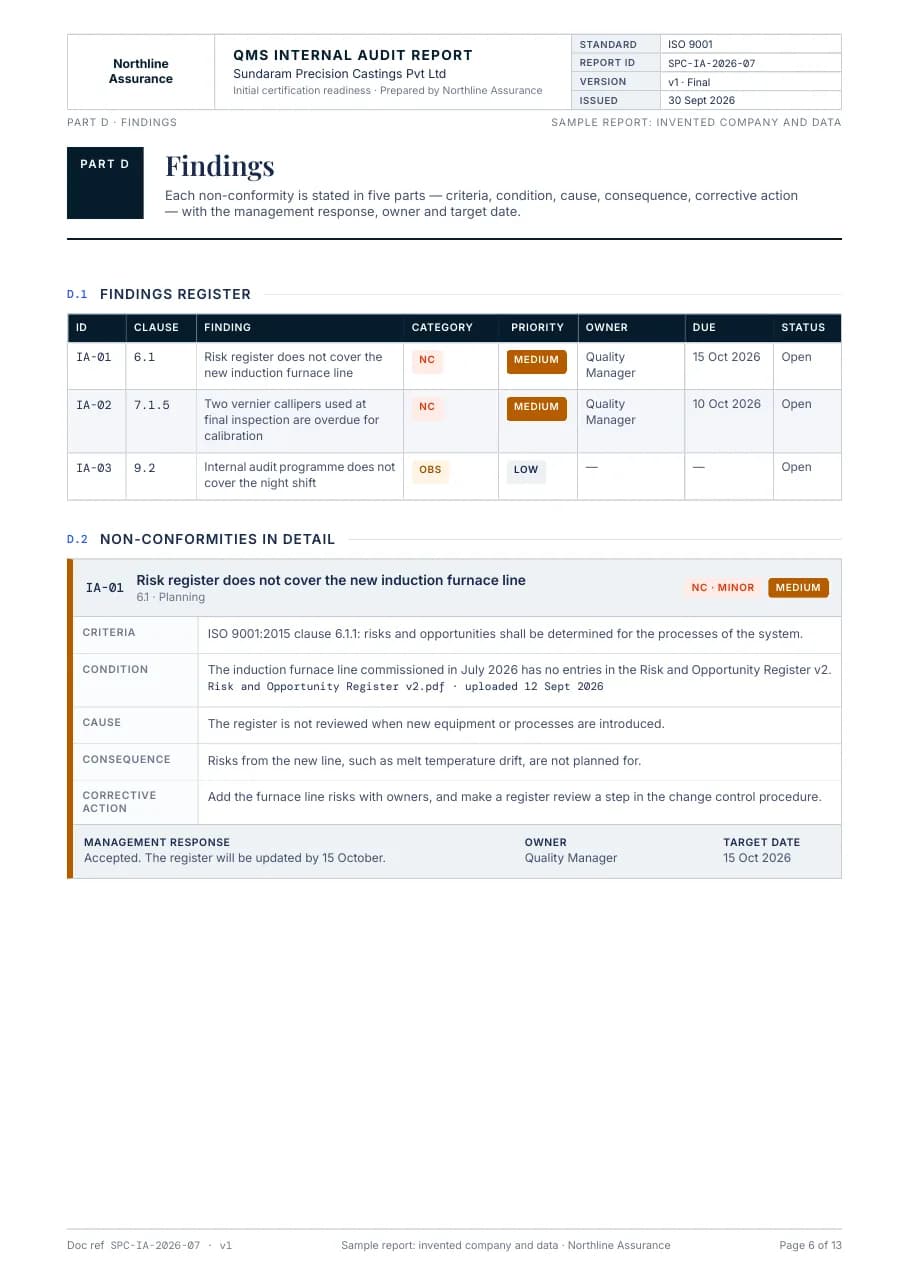
Page 6. Findings: each non-conformity in five parts
Sample report, 13 A4 pages: an invented consultancy, client and data, produced by the same generator your team uses.
What the report contains
- PART A
Executive summary
The overall assessment, up to three key messages, and the summary of findings with owners and due dates.
- PART B
Audit engagement
Objectives, scope, criteria and method; the audit team, participants, dates and locations.
- PART C
Results overview
Conformance overall and by section, with findings by priority.
- PART D
Findings
The findings register, then each non-conformity in five parts: criteria, condition, cause, consequence and corrective action, with the management response.
- PART E
Audit summary by clause
Every checkpoint with the client's answer, the evidence and the result.
- PART F
Conclusion
The degree of fulfilment, strengths, recommendations and sign-off.
- APP.
Appendices
The evidence register, the justification for each not-applicable clause, and definitions.
The overall rating is derived, never typed
| Rating | When |
|---|---|
| Satisfactory | No major non-conformity, at least 95% conforming, nothing open. |
| Needs improvement | No major non-conformity and at least 85% conforming. |
| Major action required | Any major non-conformity, or below 85% conforming. |
The rating is calculated from the checklist, so two auditors reach the same rating from the same results. There is none while a checkpoint is still open.
How a report is made
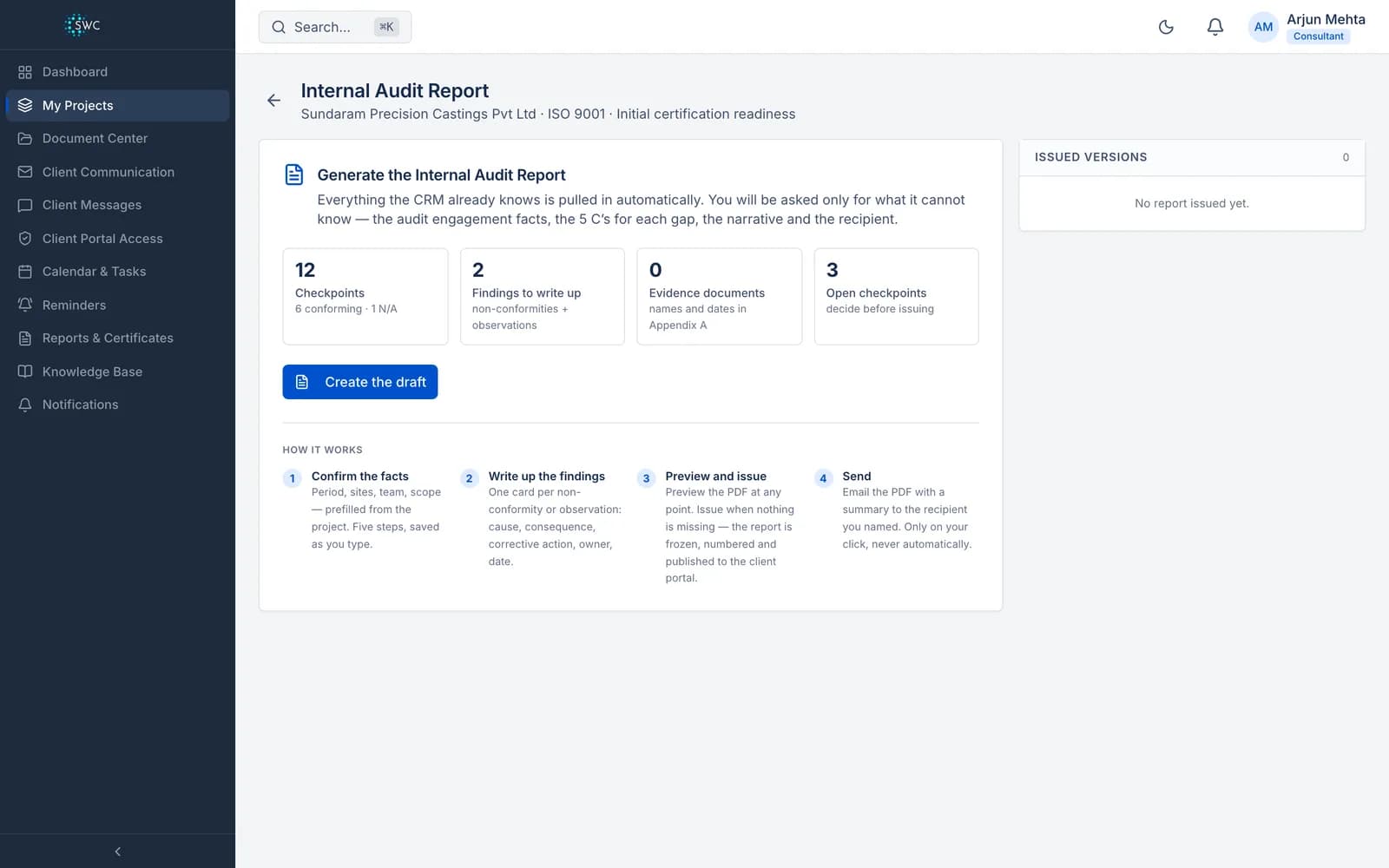
Step 1
Confirm the facts
Audit period, sites, team and scope, prefilled from the project.
Step 2
Write the findings
One card per non-conformity or observation: cause, consequence, corrective action, owner and date.
Step 3
Preview and issue
Preview the PDF at any point; drafts carry a DRAFT watermark. It can be issued only when nothing is missing and no checkpoint is open.
Step 4
Send
Email the PDF to the recipient you named, only when you click send.
Your brand on every page
The report carries your firm's name, logo and colour from your company settings.
Frozen once issued
Issuing numbers and versions the report, freezes it, and publishes the PDF to the client's portal.
The project moves on by itself
When every clause is conforming, issuing the report moves the project to certification-ready.
Internal Audit Report: frequently asked questions
Is this the certification audit report?
No. It is the internal audit report (ISO 9001 clause 9.2 and its equivalents) that your firm prepares before the certification body arrives. The certification body writes its own Stage 1 and Stage 2 reports.
How is the overall rating decided?
From the figures, never by hand: any major non-conformity or below 85% conforming is "Major action required", at least 85% is "Needs improvement", and at least 95% with nothing open is "Satisfactory". There is no rating while a checkpoint is still open.
Which standards can it report on?
Any project with a checklist: the built-in frameworks, or your own checklist uploaded as a spreadsheet template.
Can I change a report after it is issued?
An issued report is frozen. Start a new draft, which carries over the engagement facts from the last report, and issuing it produces the next version.
Where the report fits in the work: the audit stage and certification.
Issue your next internal audit report from the audit
A 60-minute walkthrough of Clauseloop, from the checklist to the issued PDF.