Feature · Renewals
Know about every certificate renewal months before it is due
Clauseloop keeps each client's certificate expiry date and works back from it: the client is emailed 90, 60, 30, 7 and 1 days before expiry, your admins are notified at the same points, and one board shows every certificate by how soon it expires.
What it does
The expiry date drives everything
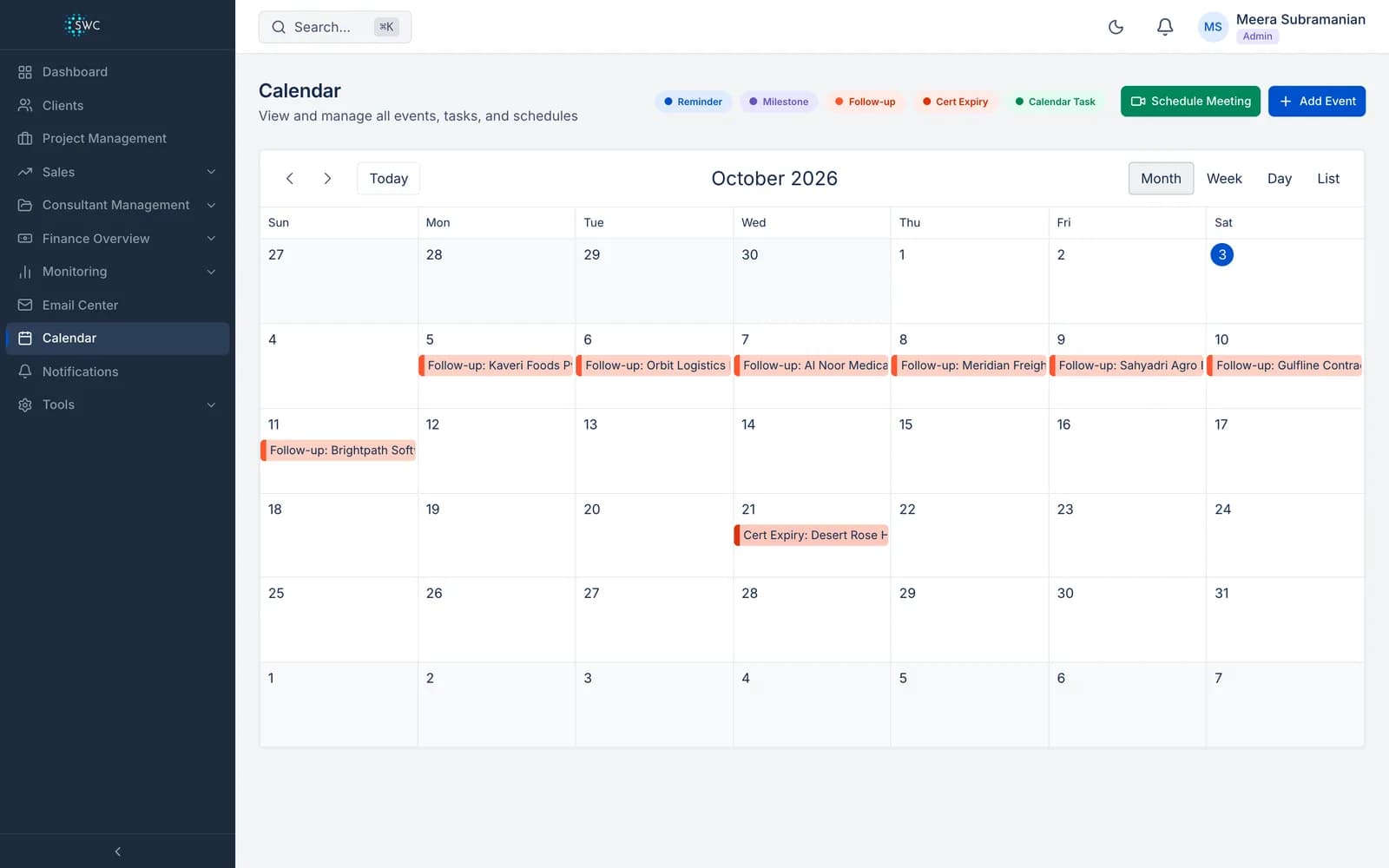
When an admin approves a certification, its expiry date is saved on the client and reminder tasks are added to the team calendar 30, 15, 7 and 2 days before it.
Notices to the client
The client's email address on record is sent a notice 90, 60, 30, 7 and 1 days before the certificate expires, and every admin gets an in-app notification at the same points.
One board for every renewal
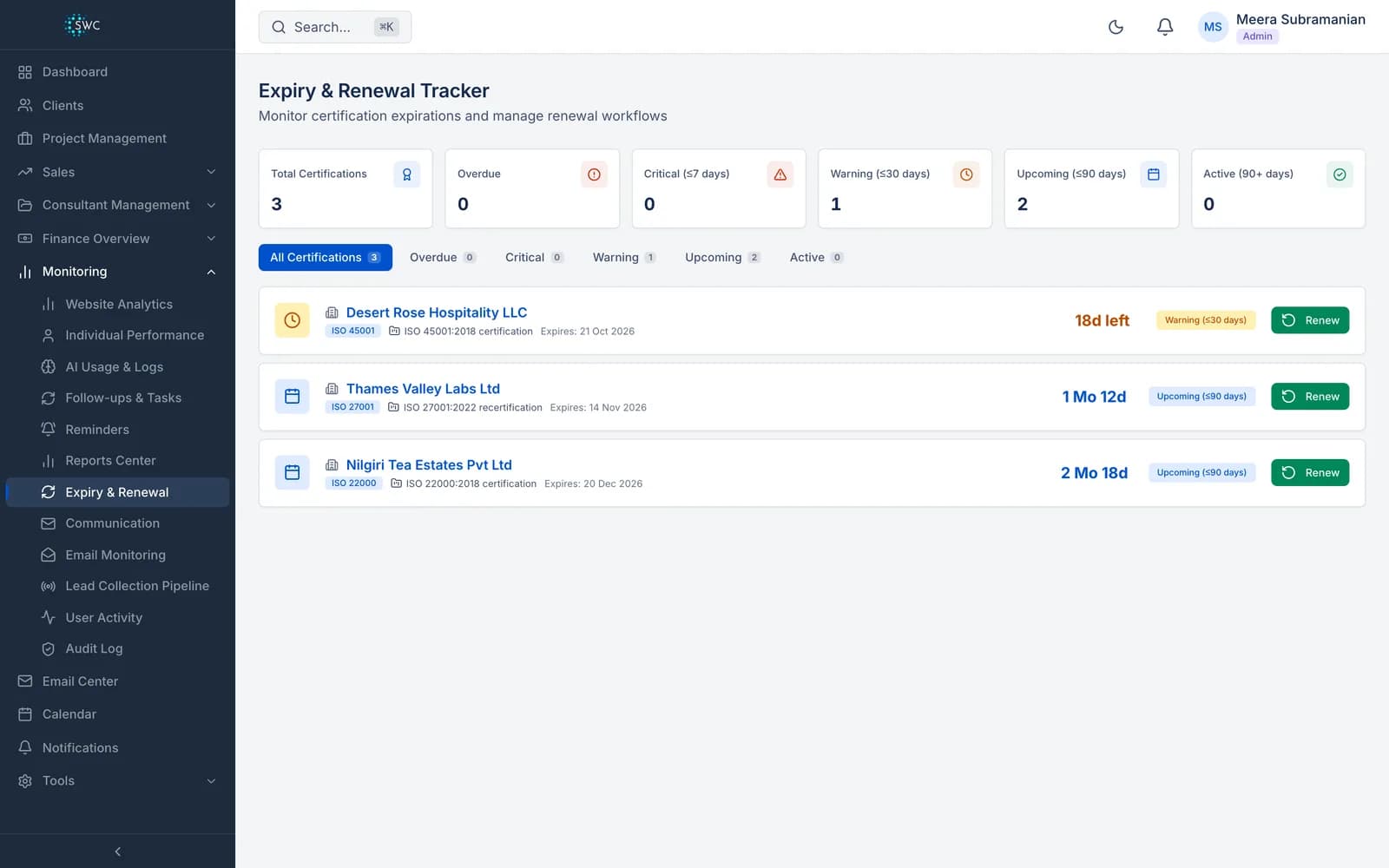
Certificates are grouped as overdue, critical (7 days or less), warning (30 days or less), upcoming (90 days or less) and active, each with the days left.
A shorter workflow for recertification
Switch a project to renewal and it runs evidence collection, validation and cert-ready. The client answers only yes or not applicable, because the controls are already certified.
Record the new expiry
When the new certificate is issued, record its expiry date from the renewal board, and the notices start again from it.
What happens before a certificate expires
| When | What happens |
|---|---|
| 90 days before expiry | Email to the client; in-app notice to every admin |
| 60 days before expiry | Email to the client; in-app notice to every admin |
| 30 days before expiry | Email to the client; in-app notice to every admin. Reminder task on the team calendar |
| 15 days before expiry | Reminder task on the team calendar |
| 7 days before expiry | Email to the client; in-app notice to every admin. Reminder task on the team calendar |
| 2 days before expiry | Reminder task on the team calendar |
| 1 day before expiry | Email to the client; in-app notice to every admin |
Notices stop at the expiry date. An expired certificate shows as overdue on the board.
The team calendar with lead follow-ups and a certificate expiry
Renewals: frequently asked questions
Who receives the expiry notices?
The client's email address on record receives each notice, and every admin in your team gets an in-app notification at the same time.
Does it start the renewal project by itself?
No. A person decides when to start: switch the client's project to the renewal workflow when the recertification work begins.
Does it schedule surveillance audits?
No. It tracks the certificate expiry date and the recertification work. Surveillance audits are planned by the certification body.
More features: Internal Audit Report, Client portal, Billing.
See it working with your own clients
A 60-minute walkthrough of Clauseloop, from the first enquiry to the renewal.