Feature · Client portal
A client portal in your brand, where the client does their part
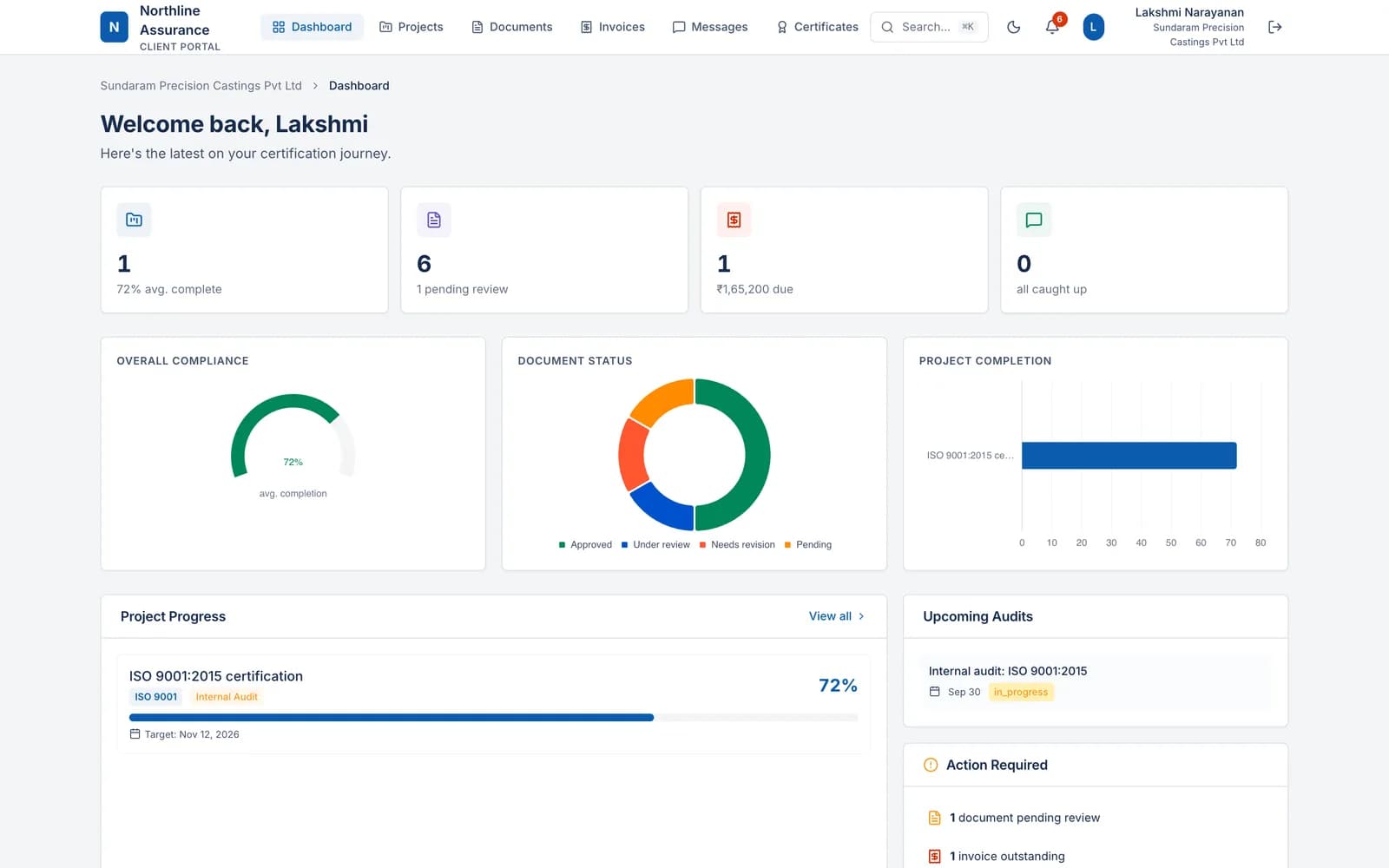
Each client signs in to a portal that carries your logo and colours. There they answer the gap analysis, upload evidence, follow the review status of every document, exchange files and messages with your team, and see their invoices.
What it does
Your brand, not ours
The portal shows your logo, accent colour and tagline. Clients sign in with a one-time link sent to their email, with no password to forget, and get a short tour on their first visit.
The gap analysis, answered by the client
Clients answer each clause yes, no or not applicable and upload evidence against it. Every answer lands in your project for review.
A status both sides can see
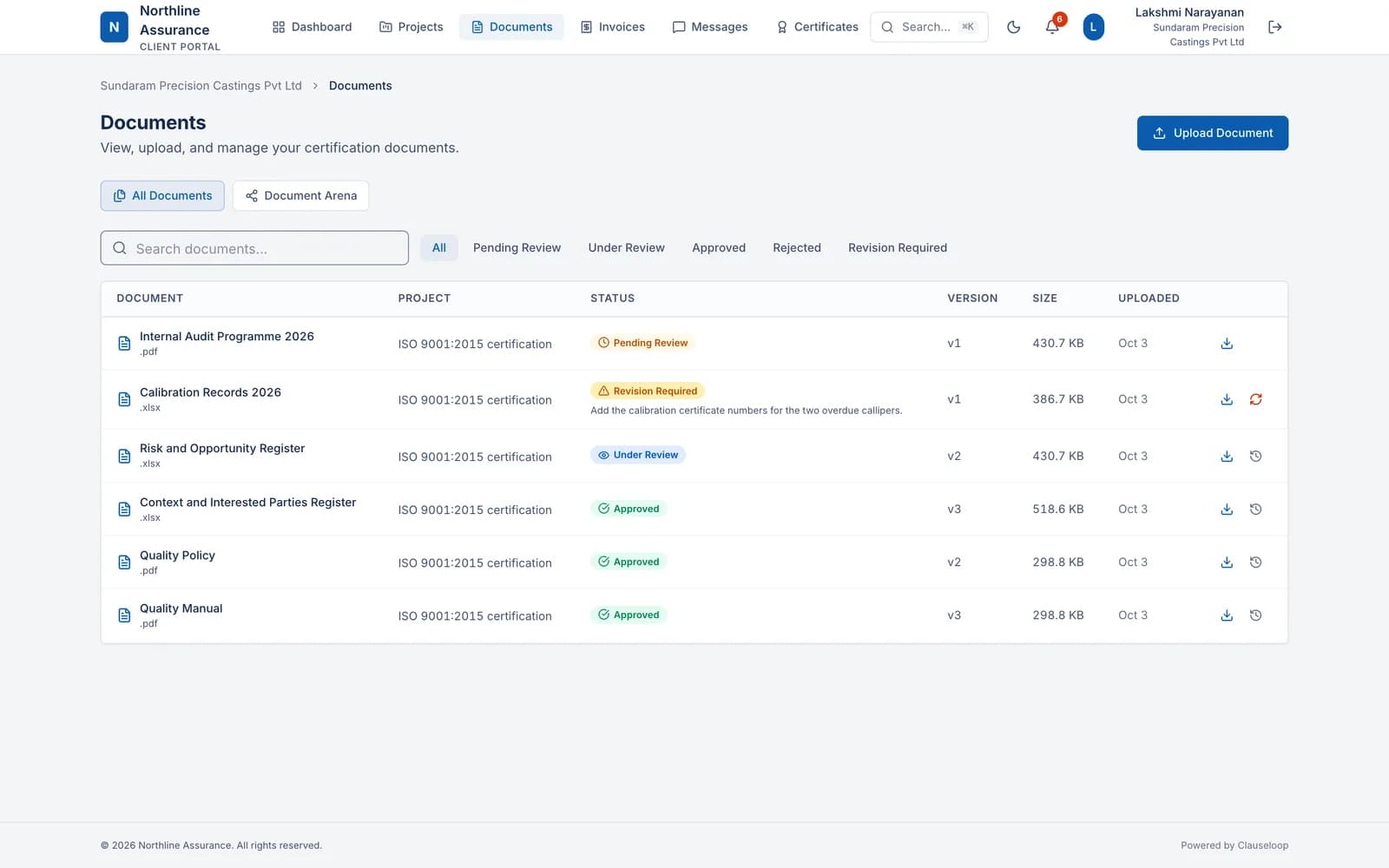
Each document is pending, under review, approved, rejected or needs revision, with its versions. Documents you request appear as requests in the client's portal.
Files and messages in one place
A private space for exchanging working files in both directions, and messages with your team, kept separate for every client.
Invoices and payment history
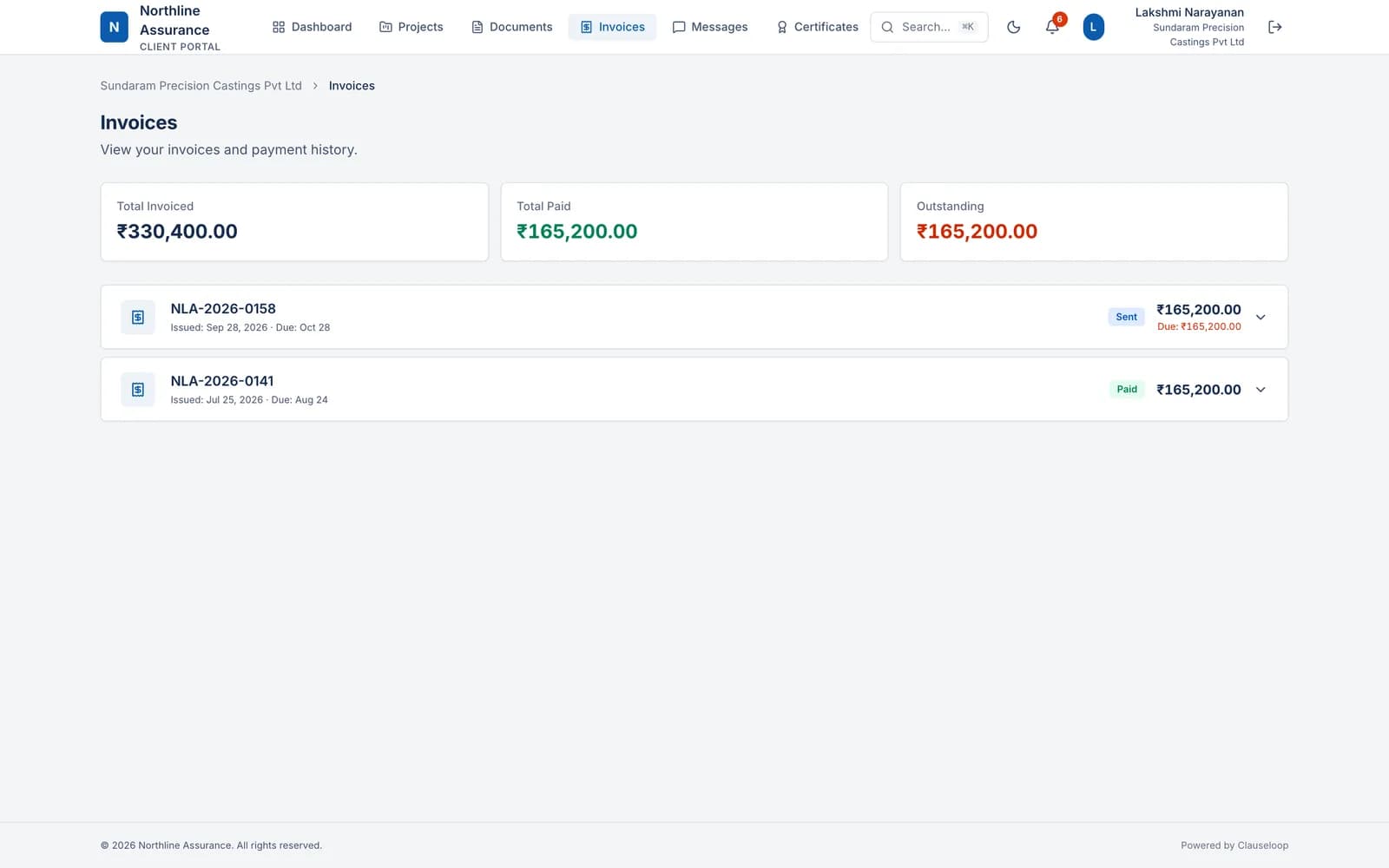
Clients see each invoice with its payment history and download the PDF. The dashboard shows what is still due, in each invoice's own currency.
Each client sees only their own work
Portal users reach only their organisation's projects, documents and invoices, and a client can have more than one portal user.
The client's documents in the portal, each with its review status
The client's invoices in the portal with their payment history
Client portal: frequently asked questions
Do clients need a password?
No. They sign in with a one-time link sent to their email address.
Can clients pay invoices in the portal?
Not in the portal itself. It lists each invoice with its payment history and the PDF. Payments made through Stripe, PayPal or Cashfree that carry the invoice number are recorded automatically and show up there.
How does the client get their certificate?
Upload it to the client's documents. Every document you share appears in their portal, ready to download.
More features: Internal Audit Report, Renewals, Billing.
See it working with your own clients
A 60-minute walkthrough of Clauseloop, from the first enquiry to the renewal.